
Siemens Industrial Edge Device Explained: What It Does On Your Shop Floor
The Short Version
- An industrial edge device sits next to your machines, keeps the data your PLCs produce and runs apps on it.
- Your PLC keeps running the machine, and the edge device adds the memory and computing power it never had.
- It reads the fast, detailed data close to the machine. Sending aggregated figures such as KPIs to the cloud is optional.
- It doesn’t need a permanent internet connection, so it suits factories that keep their machines offline on purpose.
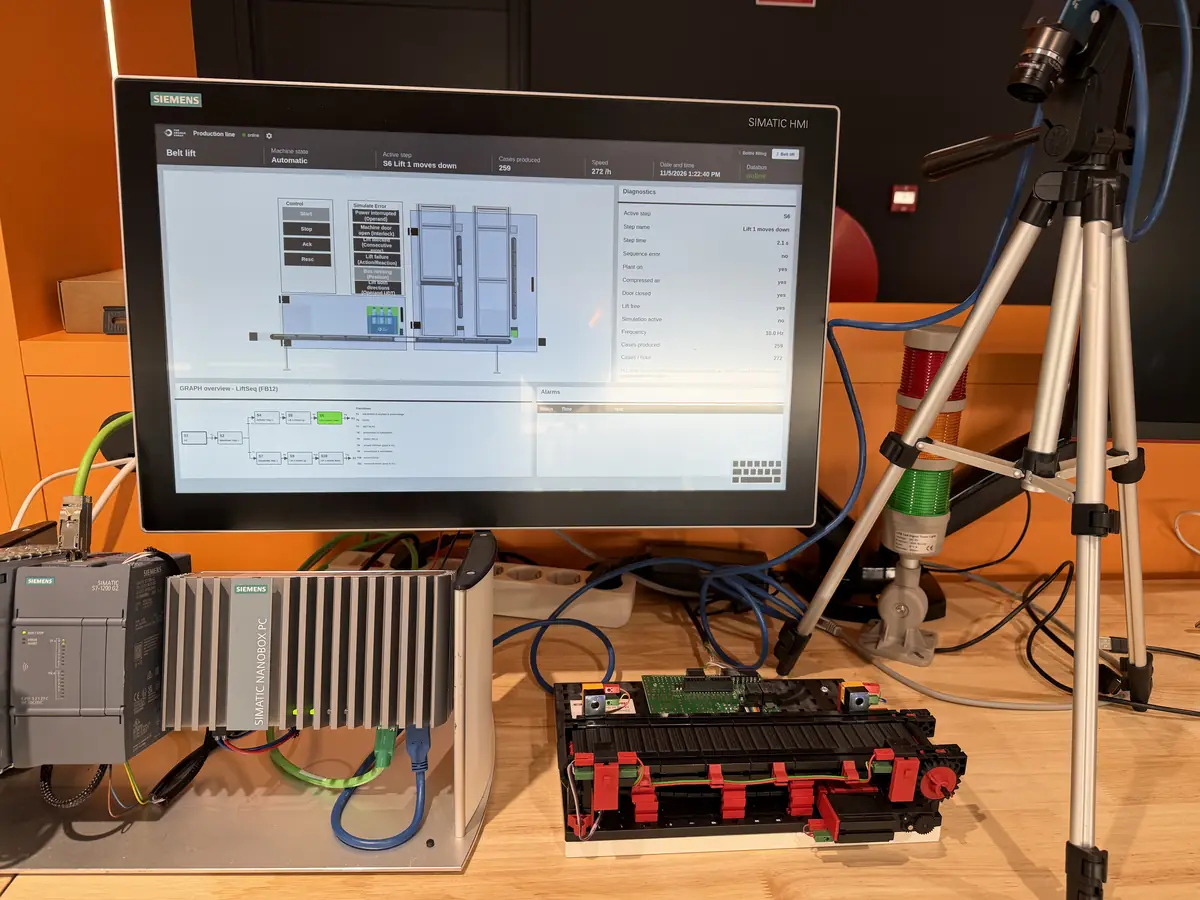
An industrial edge device is an industrial computer that sits close to the machines on your shop floor. It reads the data your PLCs produce, keeps what matters and runs apps on it locally, so you get live insight without sending everything to the cloud. Siemens Industrial Edge is the Siemens platform for these devices and the apps that run on them. It includes a management system that looks after all your edge devices and apps from one place.
If you run a production line, the data is already there. The PLCs on your floor produce it all day long. Unless something stores it, it’s gone the moment the machine has used it.
Start With The PLC
Every machine on a production line has a controller that tells it what to do, usually a PLC, short for programmable logic controller. It does the same job for years and rarely makes a mistake. That’s why a line runs the same on the night shift as on Monday morning.
PLCs go back to the late 1960s, when General Motors wanted something electronic to replace the hard-wired relays in its factories. You can still think of one as a smart relay switch with programmable inputs and outputs. Ask a PLC what happened last Tuesday and you’ll get a blank stare. Keeping a history of what happened, or running extra software on top, isn’t part of its job. In practice, these jobs often end up in the PLC anyway, because PLC programming is the skill a team has on hand. An edge device gives them a proper place.
An Industrial Edge Device Adds Memory And Computing Power
An industrial edge device gives your PLC data somewhere to go, so you can keep it and use it right next to the machine.
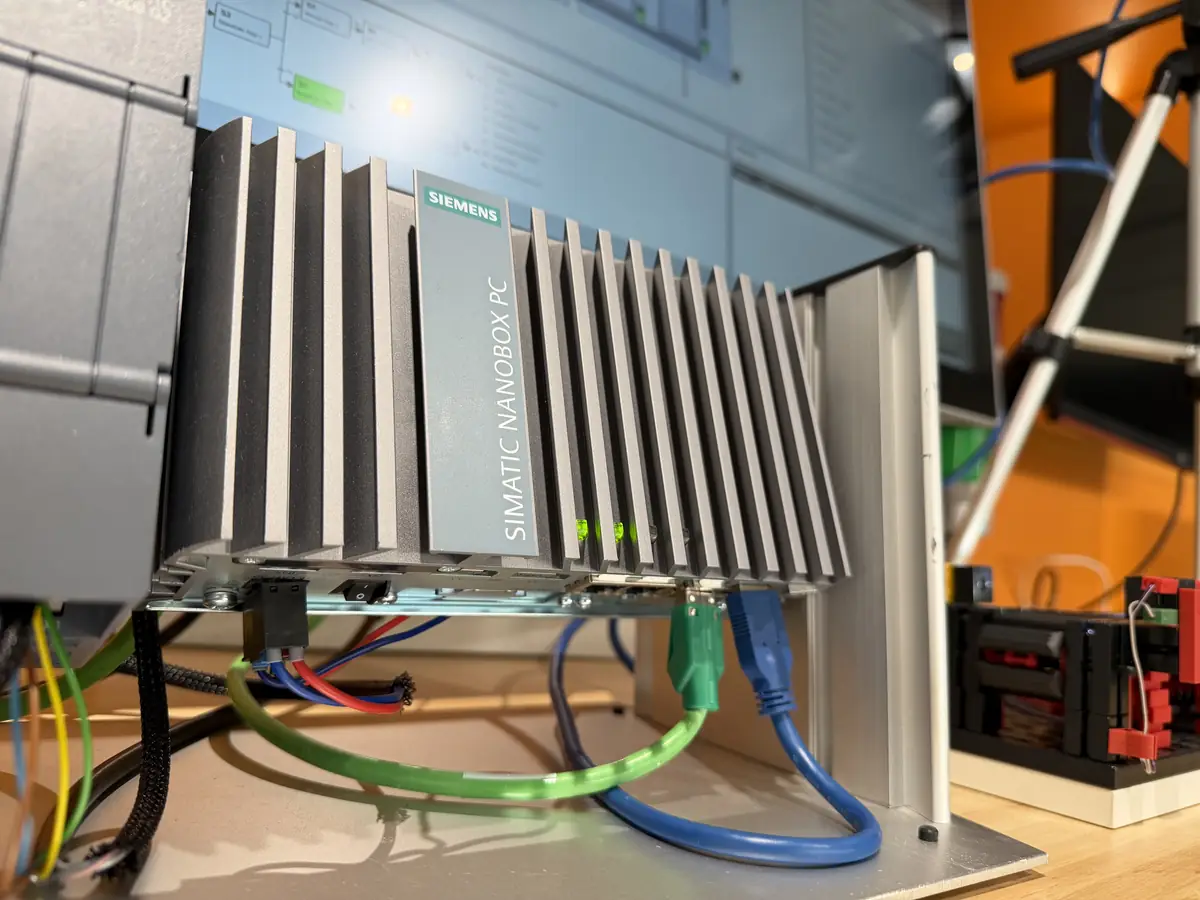
The edge device sits beside the PLC and reads the data the PLC produces. It can be a compact box or a full server. On the device, you store that data and run apps on it. Those apps turn it into something you can act on, such as a live view of your line.
The PLC stays in charge of the machine. An app on the edge device can send a result back to the PLC as an input. The PLC then decides what to do with it.
| Compared | PLC | Edge device | Cloud |
|---|---|---|---|
| What it does | Runs the machine, the same routine over and over | Stores the line’s data and runs apps on it, right next to the machine | Compares figures from several lines or sites |
| Data it keeps | Only what the machine needs right now | Raw and filtered data from the line, such as motor positions and alarms | Calculated figures, such as averages and KPIs |
| Internet connection | Not needed | Only now and then, to install apps and updates | Always |
Local First, Cloud When It Helps
Local first means the fast, detailed data stays in your factory, on the edge device. Only the figures you want to compare go to the cloud.
Machines are chatty. A running motor reports tiny changes in its position many times a second, and a line has many motors. Store all of that raw and you’re filling a digital attic that nobody will ever climb into.
An industrial edge device sorts it out on the spot. It can store only the values that change and leave a short pause between measurements, which filters out a lot by default. You decide what else it keeps, such as the moment a motor stops.
The cloud comes in when you want to compare. Put an edge device on each of ten lines and each one works out its own figures, such as averages and KPIs. Only those go up to the cloud, where one dashboard puts the ten lines side by side. Sending every raw data point up instead fills the cloud with storage you pay for every month.
You don’t need the cloud at all, either. The edge device can show its results on a screen on the shop floor.
Putting An Edge Device To Work
An industrial edge device earns its place through the apps you run on it: a live view of your line, output per order and per shift, live OEE, and results that feed back into the machine.
A live view of your line. The screen shows the power the line draws and every change of state, such as filling or heating a tank, plus each alarm. Our own setup runs a bottle-filling demo, but with pressed parts or circuit boards the picture looks much the same.
Output per order and per shift. A lightweight MES links work orders to the machine. The name stands for manufacturing execution system. It sits between your ERP, where orders are planned, and the machines, where they’re made. The international standard ISA-95 calls this Level 3. You see how much came off the line in an order’s time window and whether it went out on time. You also see how each shift did, without walking past every machine with a tablet. When one shift has more rejects than the others, your team can sit down with real numbers and work out why.
OEE, live. OEE, short for overall equipment effectiveness, is one score for how well a machine runs. It multiplies three shares: run time against planned time, actual speed against ideal speed, and good output against all output. A lightweight MES can show it as the shift happens.
Results that feed back into the machine. You can run a trained AI model on the edge device and feed its result back to the PLC. Siemens offers this as its AI Inference Server app.
The PLC Bug Behind A Wrong Production Count
Rick van Megen is a Mendix and innovation consultant at The Orange Force. Before that, he spent four years in Technical Support for Industrial Edge at Siemens. Live OEE once turned up a surprise for him: “While we were calculating OEE on a shop floor, we found the calculations kept running while the machine was off. That’s how we found a big bug in the PLC that miscalculated production. By comparing the OEE with the alarm data, we could also see exactly how each malfunction affected the whole production process.”
Our consultants build Mendix apps that run on Siemens Industrial Edge devices, and those apps already run on shop floors at manufacturers in the Netherlands.
Edge Devices And Shop Floor Security
Industrial edge devices suit factories that stay offline on purpose. OT (operational technology) means the machines and the systems that control them. In OT, safety comes first. Plenty of machine builders haven’t set up their IT to put a production line on the internet. Connecting one anyway is a real risk. On a shop floor that risk goes beyond data, because a robot arm that someone else controls can hurt the people working next to it.
An industrial edge device doesn’t need a permanent internet connection. You manage your devices and their apps through Industrial Edge Management, which can run inside your own network. You need internet to download, install and set up apps and updates. Siemens recommends connecting Industrial Edge Management to Siemens at least once a month, and needs it to keep your support. It works like servicing a machine: you plan it into a production stop or a maintenance slot, then take the cable out again. Your line keeps running without it. That’s also when your edge devices get their security updates. Siemens says Industrial Edge is designed to comply with IEC 62443-4-2. That’s the part of the international security standards for industrial automation that covers devices and their software.
What The “Cyberbeveiligingswet” Means For Your Factory
Since 15 August 2026, the Cyberbeveiligingswet has applied to medium-sized and large manufacturers in sectors such as machinery and electronics. It’s the Dutch version of the EU’s NIS2 rules. Smaller companies usually fall outside it, but their bigger customers may not, and those customers have to manage the security of their direct suppliers. The NCSC explains who it covers. Either way, a factory that keeps its machine data in its own network and only connects when it chooses to is easier to defend.
Where To Start On Your Own Shop Floor
A good first project for an industrial edge device is small: a lightweight MES on one line, for example. Rick, who built that MES into our edge demo, keeps his advice short: “Start from something pragmatic, something concrete.”
Big MES packages exist too, but they’re often far bigger than one line needs. A first version can be tiny: one edge device, one line. The MES itself can run on the device, on a local server or in the cloud. In each case, the edge device brings in the machine data. We build shop floor apps like this for manufacturers, and our customer cases show what that work looks like.
Siemens Industrial Edge In Short
Siemens describes Industrial Edge as “an open, ready-to-use edge computing platform”: edge devices, the apps that run on them and one system to manage both. It’s built for factories and machine builders alike. The edge part can be a dedicated device or built into a SIMATIC HMI, the touchscreen operators use. It can also run on an industrial PC or as a virtual machine on your own servers. Apps come from Siemens and its partners through the Industrial Edge Marketplace, and your team can build its own too.
If your machine park mixes brands and ages, that’s less of a hurdle than it sounds. Siemens says the apps from Siemens and its partners work with more than 90% of automation systems.
That includes Mendix apps. Each edge device that runs them needs one Mendix Device License. That licence covers as many Mendix apps on that device as its memory tier allows. The Orange Force is a Certified Siemens Solution Partner, and Mendix low-code development is the core of what we do.
See It Running At ABISS Breda
The Orange Force’s edge setup will be running at stand 38 at ABISS Breda, at Breepark in Breda. You’ll find it there on Thursday 3 December 2026, from 9:00 to 16:00. Bring a real problem from your own shop floor and we’ll look at it with you, next to a working line.
We’ll Bring The Edge Demo To You
We set up the Siemens edge device and the demo line at your site, so your team can try it first hand.